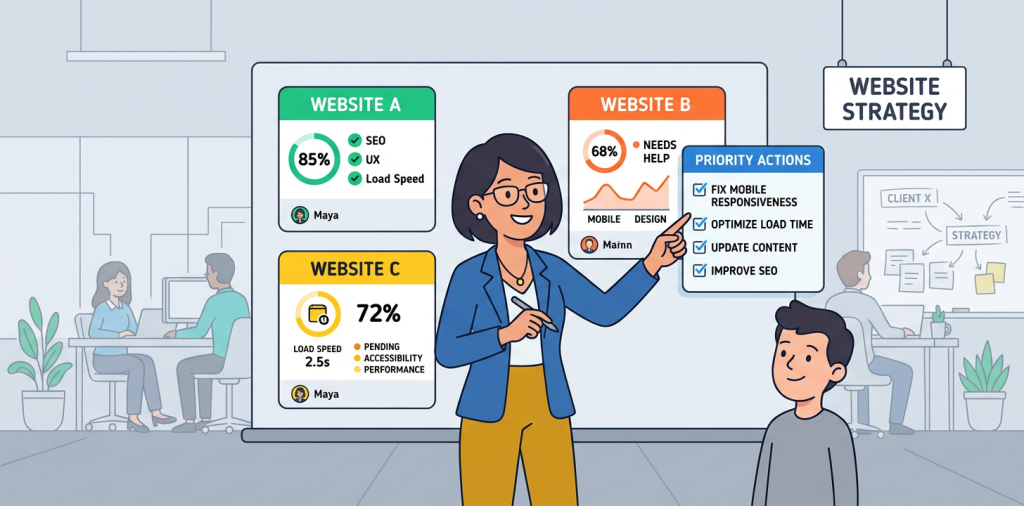
Agency growth rarely breaks because there is too little work. It breaks when client context lives in too many places: a spreadsheet for leads, a project board for delivery, an inbox for approvals, and a slide deck for reporting. The team spends more time hunting for updates than acting on them.
The right client management software for marketing agencies puts the relationship, work, results, and next action in one dependable system. For SEO, AEO, GEO, and digital marketing teams, that means fewer status-chasing messages, clearer ownership, and client conversations built around evidence rather than memory.
HubSpot’s 2026 marketing research found that 35.6% of marketers use AI extensively for administrative-task automation. That is a useful signal for agencies: automation matters most when it reduces the repetitive coordination that steals time from strategy, optimization, and client retention. HubSpot’s 2026 State of Marketing report explains the wider shift.
What Agency Client Management Software Should Actually Do
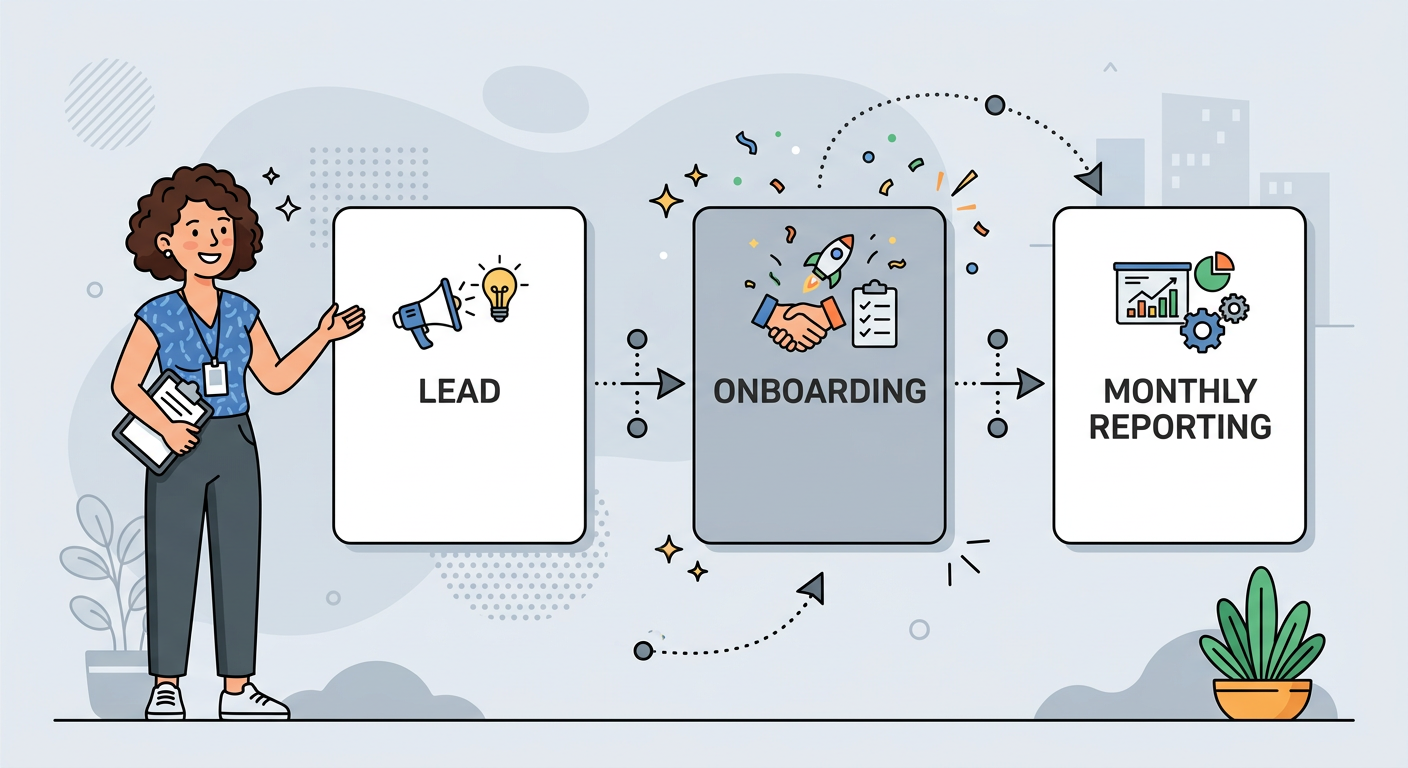
A strong agency platform should connect prospecting, onboarding, service delivery, reporting, and renewal decisions. It is not simply a task list with client names attached.
For most growing agencies, the non-negotiables are straightforward:
- A shared client record with contacts, service scope, notes, and renewal dates
- A visible sales pipeline for inquiries, audits, proposals, and closed deals
- Reusable onboarding checklists for access, goals, tracking, and kickoff tasks
- Project workflows for recurring SEO, content, paid media, and web work
- Client-facing dashboards or reports that show progress in plain language
- Time, budget, or retainer visibility before an account becomes unprofitable
- Permissions that let clients see what they need without exposing internal notes
- Integrations with the tools your team already relies on
The common mistake is buying a giant platform before defining the workflow. We recommend mapping what happens from the first inquiry through the first 90 days of delivery, then choosing software that removes friction at the handoffs.
| Platform | Best Fit | Strongest Capability | Watch-Out |
|---|---|---|---|
| HubSpot | Pipeline-led agencies | CRM and automation | Advanced plans rise quickly |
| Teamwork.com | Delivery-heavy agencies | Budgets, time, resourcing | CRM depth is lighter |
| AgencyAnalytics | Reporting-focused agencies | White-label dashboards | Less suited to full delivery ops |
| Marvlus | SEO, AEO, GEO agencies | Audit-led lead capture | Best paired with delivery software |
Choose the System Around Your Agency’s Biggest Bottleneck
The best platform depends on where your client experience starts to feel messy. We should not expect a reporting tool to replace a CRM, or a CRM to provide detailed resource planning without extra setup.
If New Business and Follow-Up Are Slipping, Start With a CRM
A CRM is the right foundation when leads disappear after a discovery call, proposals do not have a clear owner, or follow-up relies on someone remembering. It gives us a consistent record of decision-makers, deal value, service interest, meeting notes, and next steps.
HubSpot is a strong choice for agencies that want lead management, email activity, pipeline stages, and automation in one ecosystem. Its free CRM can work as an early starting point, while its Customer Platform pricing begins at $7 per seat per month on annual billing for Starter and starts at $1,300 per month for Professional. That jump is worth planning for before building complex processes around it. See HubSpot pricing.
If Delivery Margins Are the Problem, Prioritize Project Operations
Project software earns its place when work gets done but retainers quietly lose money. Agencies need more than due dates. We need planned hours, actual time, capacity, budget alerts, and repeatable project templates that make scope visible.
Teamwork.com is designed for client-service teams and includes time tracking, retainer management, client access, and resource planning. Its Basics tier is listed at $9.99 per user per month on annual billing, while Accelerate is $24.99 per user per month. It is a sensible fit when service delivery and profitability are the core operational challenge. Review Teamwork’s plan details.
If Reporting Is Taking Too Long, Use an Agency Reporting Platform
Reporting platforms make sense when account managers spend days exporting data, rebuilding dashboards, and answering questions that the report should already answer. The goal is not to send more charts. It is to make the client understand what changed, why it matters, and what happens next.
AgencyAnalytics is purpose-built for agencies that need white-label reporting, client portals, permissions, and connections to marketing data sources. Its pricing is listed at $20 per client per month when billed annually, with unlimited reports, dashboards, staff users, and client users. That model can be compelling for reporting-heavy agencies, although it does not replace a full CRM or professional-services system. See AgencyAnalytics pricing.
Build Your First Operating System in 10 Working Days
Early-stage agencies do not need a six-month implementation. We can create a useful operating baseline in 10 working days by focusing on one repeatable client journey rather than trying to automate every exception.
Days One Through Three: Define the Client Record
Create the fields the team actually uses: primary contact, services sold, monthly retainer, goals, reporting cadence, renewal date, primary channel, and current health status. Add a required “next client-facing action” field so every account has momentum.
Keep the sales pipeline simple. A practical version might include new inquiry, qualified, audit delivered, discovery booked, proposal sent, verbal yes, won, and lost. The stages should describe real decisions, not vague activity.
Days Four Through Six: Standardize Onboarding and Delivery
Build one onboarding template per service line, beginning with the offer you sell most often. For an SEO engagement, include analytics access, Search Console, business context, priority pages, keyword themes, competitor review, technical baseline, and the first 30-day deliverables.
For AEO and GEO work, add the client’s priority questions, target prompts, key entities, proof points, and brand sources. Our article on how AI platforms differ for search visibility can help teams frame platform-specific expectations during kickoff.
Days Seven Through Eight: Create an Executive-Ready Reporting Rhythm
Set a monthly report template that begins with a short written summary. Lead with wins, risks, decisions needed, and next month’s focus before the detailed metrics. Clients rarely need a larger data dump. They need a confident explanation of what the numbers mean.
Use a red, yellow, and green health marker internally, but define the rules. For example, an account is yellow if approvals are delayed, core access is missing, or results are not yet tracking to the agreed goal. Consistent rules prevent surprises at renewal time.
Days Nine Through Ten: Test With One Live Account
Run a current client through the new process before rolling it out broadly. Ask the account lead where the handoffs still fail, then remove only the steps that add no value. This small test is far safer than asking every client and every employee to adopt a half-finished system at once.
For agencies using audits to start conversations, Marvlus’s white-label agency audit tools can turn an initial website review into an organized lead record, then provide useful context before the discovery call. That works best when the follow-up process is already clear, not as a substitute for it.
Make Client Communication Part of the Workflow
Client management becomes dependable when communication is attached to the work, not scattered across inboxes. Every recurring meeting should produce a short decision log, named owners, and due dates that the client can see.
We suggest setting three dependable communication moments:
- Weekly internal account review: Check blockers, hours, risks, and upcoming approvals.
- Monthly client performance review: Discuss outcomes, decisions, and priorities, not every task completed.
- Quarterly strategy session: Reconfirm business goals, commercial priorities, and whether the scope still matches what the client needs.
This structure also helps us spot expansion opportunities honestly. If the client’s goals require work outside the current scope, the system should make the gap visible early, while there is time to have a useful conversation.

Avoid These Costly Setup Mistakes
Client management software can create more confusion if we configure it around idealized processes instead of real behavior. Start lean, document rules, and improve the system as the agency learns.
Adding Too Many Custom Fields
If a field does not influence a decision, report, or automated action, do not make the team fill it in. Excessive data entry leads to incomplete records and distrust in the system.
Treating Every Client the Same
A local SEO retainer, an enterprise content program, and an AEO visibility engagement need different milestones. Keep one shared core workflow, then layer in service-specific templates.
Automating Before the Team Agrees on Ownership
Automation can send reminders and create tasks, but it cannot fix uncertainty about who owns an account. Assign one accountable person for every deal, client, approval, and renewal.
Measuring Activity Instead of Client Value
Reports full of published posts, closed tickets, and completed tasks can hide poor outcomes. Connect delivery metrics to the client’s goals, such as qualified leads, revenue influence, visibility, conversion quality, or retention.
For SEO teams, a shared keyword and topic process makes reporting much easier. A keyword research workflow built for agency reporting can give strategists a clearer way to organize opportunities before they become client deliverables.
Questions Agencies Ask Before Buying
Do small marketing agencies really need client management software?
Yes, once spreadsheets and inboxes are making it hard to see ownership, next steps, or client history. A small agency can begin with a lightweight CRM and a repeatable project template, then add reporting or financial controls as its client base grows.
How much should an agency budget for client management software?
Costs vary by team size, client volume, and required integrations. Early-stage teams can begin with free or low-cost CRM and project plans, while mature agencies often pay more for resource planning, client portals, reporting, and automation.
Should we use one platform or a connected software stack?
A connected stack is often more realistic. We usually recommend one system as the source of truth for client records, then focused tools for delivery, reporting, and specialized SEO or AI-visibility work.
What data should clients be able to see?
Clients should see approved deliverables, deadlines, relevant performance data, decisions needed, and shared meeting notes. Keep internal margin, staffing concerns, draft strategy notes, and candid account-health discussions private.
How long does implementation take?
A focused first version can be live in 10 working days. A full agency rollout usually takes longer because it involves cleaning existing data, training people, refining templates, and updating habits.
Can client management software help with retention?
Yes, because it helps us surface risks before they become frustrations. When the team can see scope, results, pending approvals, communication history, and renewal dates in one place, we can manage the relationship proactively.
Give Every Client Relationship a Clear Next Step
If your agency is still piecing together lead details, audit results, and follow-ups across separate tools, start by giving prospects immediate value. Try Marvlus to add a branded AI website audit to your agency’s lead flow, capture context before the first call, and create a cleaner handoff into your chosen CRM.
A Better System Makes the Agency Feel Smaller, Not More Complicated
Client management software for marketing agencies is valuable because it creates calm. It gives every team member the same view of the relationship, protects delivery margins, and helps clients feel that their account is being handled with intent.
We do not need the largest software suite to get there. We need a clear process, a platform that supports it, and the discipline to keep client records, decisions, and next steps current. Start with one service line and one client journey, prove the workflow, then scale what works.