

Website performance can feel like a technical problem that only a developer can solve, but that is not always true. If you manage a site, run an agency, or handle marketing for a business, you can make meaningful improvements to Core Web Vitals with the tools and access you already have.
The good news is that many fixes live in content, design choices, plugins, and asset management. You do not need to rebuild a site from scratch to improve the user experience. You just need a practical plan, a few quick wins, and the discipline to remove friction wherever you find it.
What Core Web Vitals Actually Measure
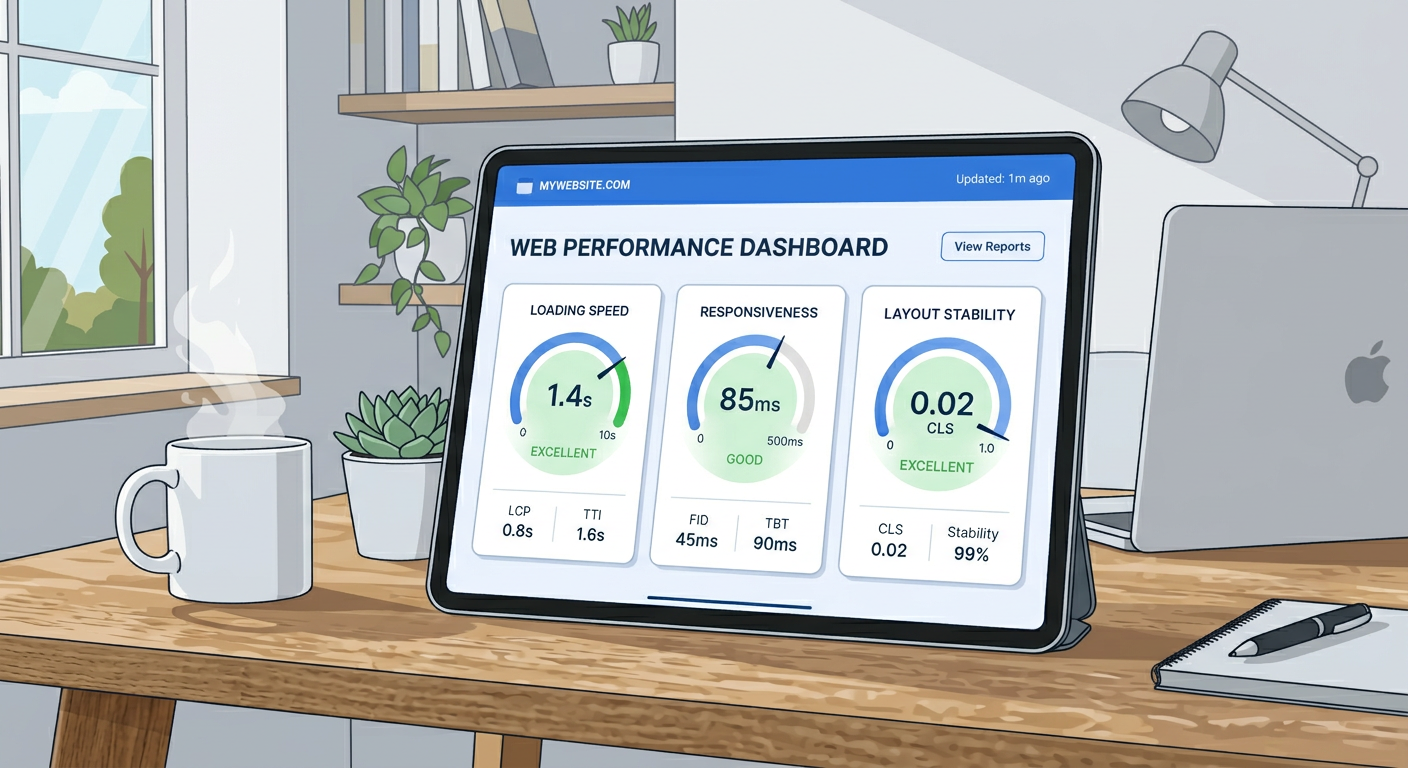
Core Web Vitals focus on real user experience, especially how fast a page feels, how stable it looks, and how quickly people can interact with it. The three main metrics are Largest Contentful Paint, Interaction to Next Paint, and Cumulative Layout Shift.
If those names sound technical, keep it simple. You are trying to make pages load faster, respond faster, and stop jumping around while they load.
Start With the Pages That Matter Most
Do not try to fix every page at once. Start with your top landing pages, homepage, service pages, and any article that gets steady organic traffic or converts leads.
Those pages deliver the biggest return. If you improve them first, you will see impact faster and avoid wasting time on low-value pages.
Pick pages using simple signals
- Pages with the most traffic
- Pages with the highest bounce or exit rates
- Pages that drive leads, demos, or sales
- Pages with obvious visual clutter or slow loading assets
Improve Image Performance Without Touching Code
Large images are one of the easiest problems to fix. If your site uses oversized hero images, uncompressed screenshots, or too many decorative visuals, you can often improve load time just by replacing or resizing them.
Use compressed images in modern formats when possible, and make sure each image is no larger than it needs to be. For blog content, a 2,000 pixel image is often overkill if the display area is much smaller.
Practical image fixes you can handle yourself
- Compress images before upload
- Replace PNGs with JPGs or WebP when appropriate
- Resize images to match actual display size
- Remove unnecessary background graphics
- Avoid uploading full camera originals
Reduce Layout Shift by Stabilizing Page Elements
Cumulative Layout Shift usually happens when a page changes size after it starts loading. Common causes include images without dimensions, late-loading ads, embedded videos, cookie banners, and fonts that swap too dramatically.
You can often solve this by editing content placement and being more consistent with your page structure. Keep the header, hero section, buttons, and form blocks in fixed, predictable positions.
Easy wins for layout stability
- Add dimensions to images in your CMS if possible
- Keep button labels consistent in length
- Avoid inserting new content above existing content after publish
- Use fewer popups and banners
- Keep embeds and videos in reserved spaces
Cut Down Heavy Fonts and Visual Extras
Fancy fonts and oversized design elements can slow pages down more than people expect. If your site loads multiple font families or several font weights, simplify the stack.
The same applies to motion effects, sliders, and background videos. They may look polished, but they can hurt performance and distract from the message.
What to remove or simplify
- Extra font families
- Too many font weights
- Auto-playing video backgrounds
- Carousel sliders on key pages
- Unnecessary animation effects
Use a Cache or Performance Plugin Wisely
If you are on WordPress or a similar CMS, a good caching or performance plugin can make a big difference without developer help. These tools often handle file minification, lazy loading, and cache rules with a few toggles.
Be careful not to turn on every feature at once. Test changes one by one so you can see what actually helps and what breaks the page.
Clean Up Third-Party Scripts
Chat widgets, analytics tools, ad tags, review plugins, and trackers can create hidden performance drag. You may not control the script itself, but you can control whether it stays on every page.
Ask yourself a simple question. Does this script need to load sitewide, or only on specific pages?
Script cleanup ideas
- Remove tools you do not use
- Load chat widgets only where needed
- Limit third-party embeds
- Audit old tracking pixels
- Avoid stacking multiple tools that do the same job
Make Content Lighter and Easier to Render
Pages with huge intro sections, giant galleries, or too many embedded blocks can feel slow even when the backend is fine. Simplifying the page structure helps readers and improves perceived speed.
This is especially useful for agencies and content teams because it can be done in the editor, not in code. Shorter pages are not always better, but clearer pages are usually faster and easier to use.
Content edits that help performance
- Move the most important message higher on the page
- Break up long blocks of media
- Remove duplicate calls to action
- Trim unnecessary sections on mobile
- Avoid loading every visual element at once
Check Mobile First
Most Core Web Vitals problems show up more clearly on mobile. A page that feels fine on a laptop may become slow, cramped, or jumpy on a phone.
That means your testing should happen on mobile views first, not as an afterthought. Open your site on a real phone, scroll slowly, tap buttons, and watch for delays or layout shifts.
Where a Non-Developer Can Move Fast
Here is the thing, you do not need to fix everything to get results. Small changes can stack up quickly when they target the right pages.
Focus on these non-technical actions first:
- Compress and resize images
- Remove unnecessary scripts
- Simplify page layouts
- Reduce font and animation load
- Improve mobile readability
- Use caching tools carefully
FAQ
Can I improve Core Web Vitals without code access?
Yes. Many improvements come from better image handling, simpler layouts, fewer scripts, and cleaner content structure. Those are all things marketers and site owners can often manage directly.
What is the fastest fix for slow pages?
Image optimization is usually the fastest place to start. Large hero images and uncompressed media often create immediate speed gains when corrected.
Do plugins really help with performance?
They can, especially on CMS platforms. The key is to use a trustworthy plugin and avoid stacking too many performance tools that conflict with each other.
Is mobile optimization more important than desktop?
For most sites, yes. Mobile users often experience slower networks and less powerful devices, so mobile performance usually has the biggest real-world impact.
What should I do first if I have limited time?
Start with your highest-value pages, then fix images and remove unnecessary scripts. Those two areas often produce the quickest visible improvement.
Can design changes hurt Core Web Vitals?
Absolutely. Heavy animations, oversized media, and unstable page elements can all make performance worse. Good design should feel clean, fast, and predictable.
Improve Your Site Faster With a Clear Audit Process
If you want a faster way to spot what is hurting performance, run a structured audit before making changes. A focused review helps you prioritize the pages and issues that matter most, especially when you do not have a developer on standby.
At AuditSky, you can use audits to uncover speed issues, content friction, and conversion blockers without guesswork. That gives you a practical roadmap instead of a long list of vague recommendations.
Conclusion
Improving Core Web Vitals without a developer is absolutely possible. In many cases, the biggest wins come from better content decisions, smarter asset choices, and simpler page design.
If you start with your highest-impact pages and make one improvement at a time, you will usually see meaningful progress faster than you expect. Keep it practical, keep it focused, and let the user experience lead the way.