
What Is an Internal Linking Strategy for Bloggers?
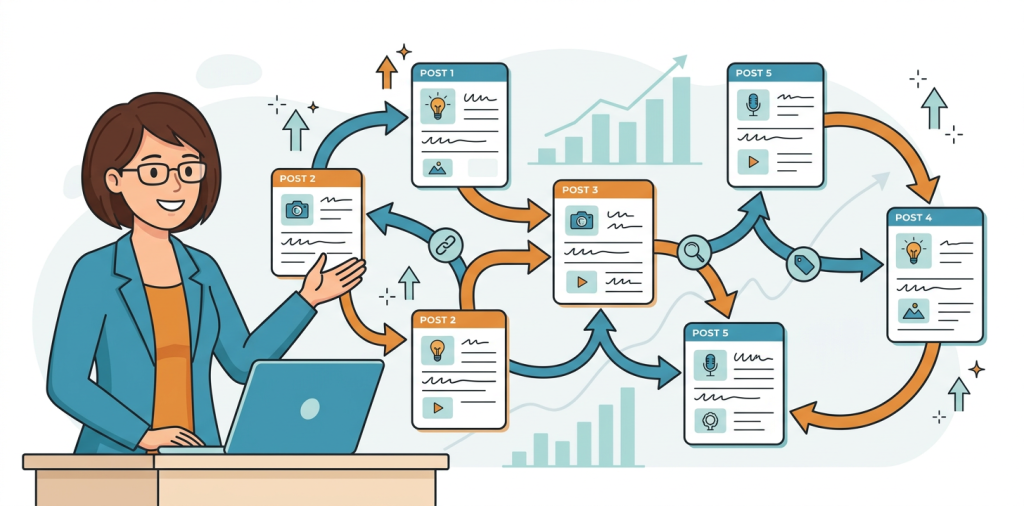
An internal linking strategy for bloggers is the plan you use to connect related posts on your site so readers, search engines, and AI tools can understand how your content fits together. It is one of the easiest ways to improve rankings, guide readers to the next best article, and turn a random blog into a structured content hub.
If you’ve been publishing posts without thinking about how they connect, you are probably leaving traffic and conversions on the table. The good news is that you do not need a huge site or advanced tools to fix that. You just need a smart system.
Why Internal Linking Matters More Than Most Bloggers Think
Internal links do three big jobs at once.
They help readers keep moving
When someone finishes one article, a relevant internal link gives them a natural next step. That reduces bounce, increases time on site, and helps readers trust your site as a useful resource.
They help search engines understand your site
Search engines use links to discover pages and understand hierarchy. A well-linked article can signal which pages are most important, which topics belong together, and which pages deserve more authority.
They help AI search systems understand context
AI tools look for clear topic relationships, content depth, and semantic structure. Strong internal links make it easier for systems like ChatGPT and Gemini-style search experiences to understand what your site is about and which pages should be referenced together.
The Best Internal Linking Strategy for Bloggers
1. Build topic clusters, not random links
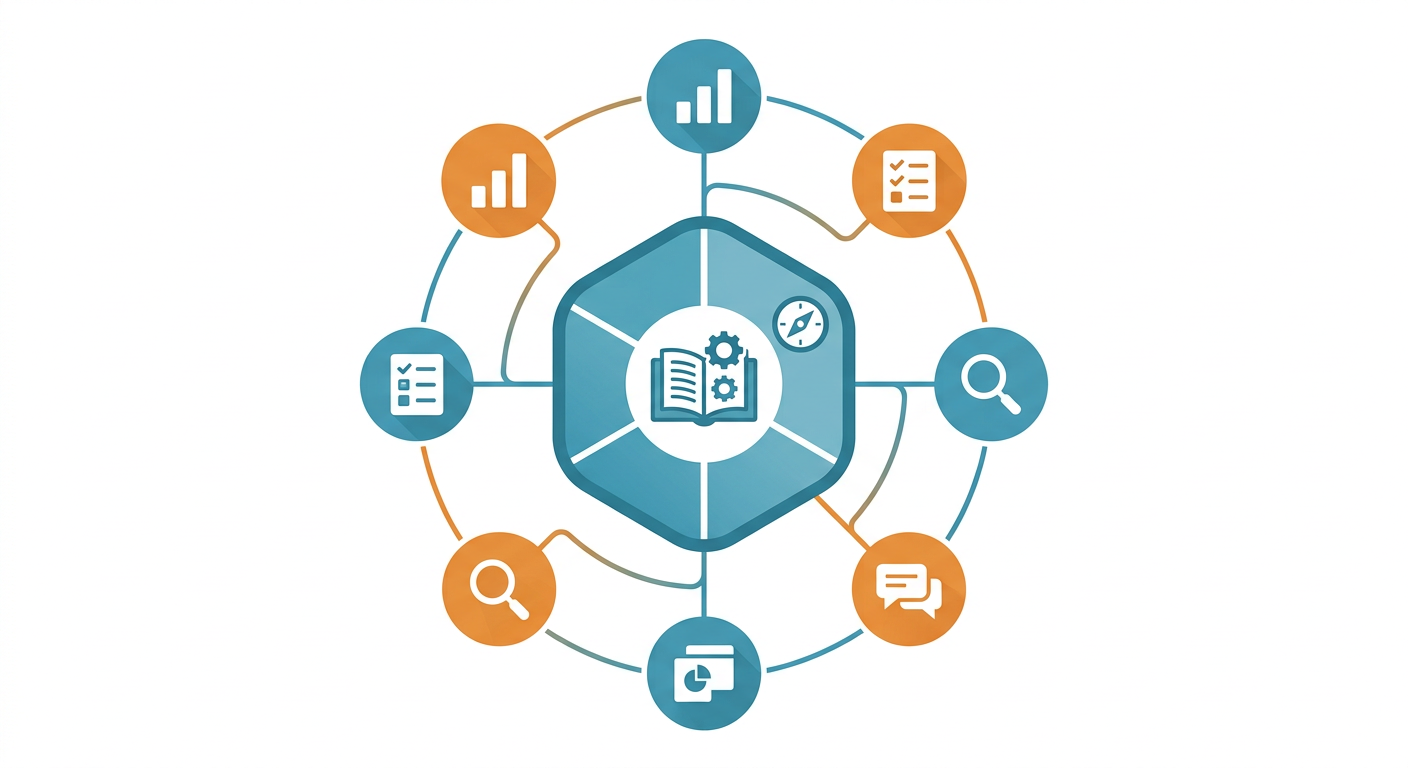
The strongest strategy starts with a topic cluster. Pick one broad theme, then create supporting posts that answer narrower questions around it.
For example, if your main topic is email marketing, your supporting articles might cover subject lines, welcome sequences, list growth, and segmentation. Each supporting post should link back to the main pillar article, and the pillar should link out to each supporting post.
This gives your blog a clean structure instead of a pile of isolated articles.
2. Link from high-authority pages to important pages
Not every page on your site carries the same weight. Some posts naturally earn more links, traffic, or backlinks than others.
Use those stronger pages to pass value to newer or more important content. If a post is already ranking well, add links from that page to related articles you want to grow.
That is one of the fastest ways to boost underperforming pages without creating new content.
3. Use descriptive anchor text
Anchor text is the clickable phrase in a link. Instead of vague wording like “click here,” use language that tells people what they will get.
Good examples include:
- beginner-friendly keyword research tips
- how to structure a blog post
- internal linking best practices for SEO
- blog content calendar ideas
Descriptive anchor text helps readers and search engines understand the destination page before they click.
4. Prioritize links based on search intent
A good internal link should feel like the next logical step. If someone is reading a beginner article, send them to a deeper explainer. If they’re reading a how-to guide, link them to a checklist, template, or example post.
This is where many bloggers go wrong. They link just because a post is related, not because it fits the reader’s intent at that moment.
5. Add links during content creation, not after the fact
The easiest time to add links is while you are writing. As you draft a post, note where related articles naturally support the point you’re making.
Then do a second pass after publishing to add a few more links from older posts into the new article. That keeps your site fresh and reinforces the value of your newest content.
A Simple Internal Linking Workflow You Can Repeat
Here’s a practical process you can use for every new post.
Step 1: Choose one primary topic
Pick the main keyword or theme for the article. This helps you decide which existing content should support it.
Step 2: Identify 3 to 5 related posts
Look for posts that answer adjacent questions, explain definitions, or cover follow-up actions. These should be genuinely useful, not forced.
Step 3: Add one link near the top
Early links help users keep exploring and help crawlers see the page in context faster.
Step 4: Add links inside the body
Place links where they naturally expand the idea. A reader who wants more detail should get a path forward right there in the paragraph.
Step 5: Add one link near the end
End with a relevant next step. This could be a deeper guide, a checklist, a case study, or a tool page.
Common Internal Linking Mistakes Bloggers Make
Linking only to the homepage
Your homepage is not the best place to send every reader. Most blog readers need the next relevant article, not a generic starting point.
Using the same anchor text everywhere
Repeating identical anchor text over and over can feel unnatural. Vary your wording while keeping it clear and relevant.
Ignoring older content
Older posts often become dead ends. Go back and update them with links to newer resources so they keep contributing to your site structure.
Overlinking a single page
Too many links in one article can distract readers. Keep it useful and intentional.
Forgetting conversion pages
If you have a service page, product page, or audit page, don’t bury it. Link to it from relevant educational posts when it makes sense.
For example, if you write about improving site structure, a tool like Auditsky can fit naturally as a way to identify content and technical issues before they hurt performance.
Internal Linking Examples Bloggers Can Copy
Example 1: Educational cluster
- Main post: What is content strategy?
- Supporting posts: content calendar, keyword clustering, blog outlines, content refreshes
- Link pattern: every supporting post links to the main guide, and the main guide links back to each support post
Example 2: Affiliate blog cluster
- Main post: best podcasting equipment
- Supporting posts: microphone reviews, audio interface guide, recording setup tips
- Link pattern: product roundups link to individual reviews, and reviews link back to the roundup
Example 3: Business blog cluster
- Main post: how to get more website leads
- Supporting posts: landing page tips, CTA writing, audit tools, conversion tracking
- Link pattern: educational posts link to the service or tool page where appropriate
How Internal Links Support SEO and AI Visibility
Internal linking is not just a technical SEO task. It also improves how your content is interpreted across search systems.
When pages are grouped clearly, it becomes easier for algorithms to see topical depth. That can improve discoverability, strengthen topical authority, and make your content easier to reference in AI-generated answers.
If you are also working on AI visibility, it helps to pair internal linking with content clarity, clean headings, and strong topical coverage. Auditsky’s AI website audit approach is useful here because it reviews content structure and technical signals together, which is exactly where many blogs need help. You can explore that at Auditsky.
A Practical Internal Linking Plan for the Next 30 Days
Week 1: Map your top topics
List your main categories and the best posts under each one. Group them into clusters.
Week 2: Fix orphan pages
Find posts with few or no internal links. Add them into the right cluster.
Week 3: Update your strongest posts
Add links from your highest-traffic articles to pages that need more visibility.
Week 4: Build a repeatable publishing checklist
Before publishing any new post, ask:
- What older post should this link to?
- Which page should link to this new post?
- What related content would help the reader next?
That one habit can transform your blog’s structure over time.
FAQ
How many internal links should a blog post have?
There is no perfect number, but most posts should include enough links to help readers and clarify topic relationships without feeling crowded. Focus on relevance first.
Should I link to new posts from older posts?
Yes. This is one of the best ways to help search engines discover new content and move authority through your site.
Do internal links help rankings?
They can. Internal links help distribute authority, support crawl discovery, and clarify which pages are most important.
What pages should I prioritize first?
Start with your pillar pages, top-performing posts, conversion pages, and any orphan content that is not getting enough attention.
Is it better to link deep or just to category pages?
Deep links to specific relevant articles are usually more useful than broad category links. They give readers a clearer next step.
How often should I audit my internal links?
A monthly or quarterly review works well for most bloggers. If you publish often, check links more frequently.
Grow Your Blog With a Smarter Content Structure
If you want your blog to rank better, feel easier to navigate, and convert more readers, start with the structure underneath the content. A thoughtful internal linking strategy for bloggers is one of the highest-leverage improvements you can make.
If you want help spotting structural gaps, weak pages, or missed opportunities, try a free audit at Auditsky. It is a simple way to see what’s helping your blog and what is holding it back.
Final Thoughts
Internal links are small, but their impact is huge. They guide readers, strengthen SEO, and help your blog feel like a connected experience instead of a collection of disconnected posts.
If you build clusters, use descriptive anchor text, and keep your linking intentional, you’ll create a blog that is easier to grow and easier to trust.